Platform Overview
Overview
Section titled “Overview”xVector is a collaborative platform for building data applications. It is powered by MetaGraph, an intelligence engine that keeps track of all resources powering data applications. Businesses can connect, explore, experiment with algorithms, and drive outcomes rapidly. A single pane of glass enables data engineers, data scientists, business analysts, and users to extract value from data collaboratively.
Data Applications comprise all resources and related actions in creating value from data. The actions performed in a Data Application include connecting to various data sources, profiling the datasets for quality issues and anomalies, enriching data for further analysis, exploring the datasets to derive insights, mining patterns with advanced analytics and models, communicating the outputs to drive outcomes, and observing the applications for further enhancements and improvements.
Concepts
Section titled “Concepts”The following sections describe each of the resources that constitute a data application. Each resource performs a specific function, enabling efficient division of labor and collaboration.
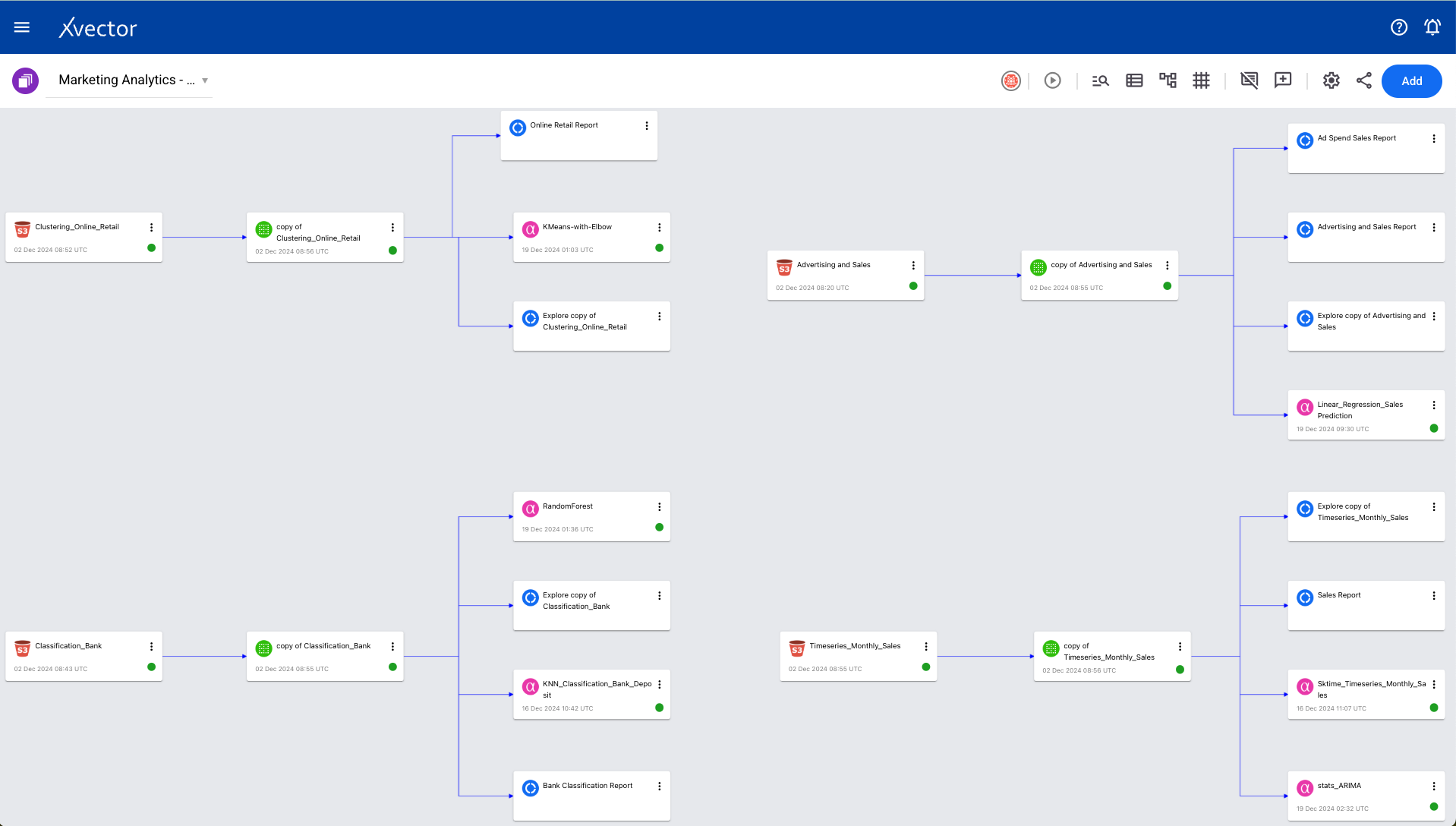
Workspace — Provides a convenient way to visualize and organize interactions across resources such as data sources, datasets, reports, and models that power a DataApp. Business analysts, data scientists, and data engineers have a single pane of glass for collaboration and version control.
Datasource — Enterprise data is available in files, databases, object stores, and cloud warehouses or is accessible via APIs in various applications. Datasource allows users to bring data from multiple sources for further processing. Data sources are in sync on a scheduled or on-demand basis. In addition to the first-party data, enterprises now have access to a large amount of third-party data to enhance the analysis.
Dataset — Once the data is available, users can transform and refine it using an enrichment process. Enrichment comprises functions to profile, detect anomalies, join other datasets, run a regression, classify or segment based on clustering algorithms, or manually edit numerical, text, or image data. Users can perform all actions that enable the training of models and their applications. The delineation between a data source and a dataset allows for data traceability.
Models — Models enable the application of an appropriate analytical lens to the data. Supervised AI models, such as regression and classification, or unsupervised models, such as clustering, allow users to tease patterns in tabular, image, or textual data. Time series models allow for forecasting. Users can extract entities, identify relevant topics, or understand sentiment in textual data.
Reports — Reports provide a canvas for visualizing and exploring data. Users can build interactive dashboards, interrogate models, slice and dice the data, and drill down into details, allowing businesses to collaborate and refine their understanding of the underlying data.
Data Destination — Users can act on insight by automating the output to be written to execution systems. For example, if they identify customers who are likely to churn, they can send this data to a CRM system to deliver discounts or remediate with other actions.
Prototyping and Operationalizing Data Apps
Section titled “Prototyping and Operationalizing Data Apps”The xVector platform allows rapid prototyping using a draft server in the design phase. Business users and analysts can collaborate to define the data application and hand it off to the data scientists and engineers to further refine and tune for performance during the operational phase.
Users can collaborate on each resource, such as reports, datasets, and models. Users can edit, view, or comment on a resource based on their permissions. Users just need an email to start collaboration. User groups allow for organizing and easier sharing across users.
Users can control the visibility and scope of a given resource. Making the resources public makes them visible to all users across the cluster. Each resource has a defined URL, enabling ease of sharing.
The user will need to start the draft driver before using it. Once the draft driver is running, users can join the session and use it. While in session, a dedicated driver to that workspace is provided, enabling users to do rapid data exploration and analysis without waiting for resource provisioning. This allows for rapid prototyping with business users. Resources created in the draft driver are marked as draft and present only in memory. Once prototyping is done, the dataset can be operationalized and materialized. Upon materialization, they persist and become available as regular resources. Operationalizing enables pipeline optimization by considering cost/performance tradeoffs. For example, all datasets can be updated using spot instances to reduce costs.
Version Management
Section titled “Version Management”DataApps are managed with the same rigor as other software applications. Versioning ensures their stability and manageability. Once a resource such as a workspace, dataset, model, or report is assigned a version, consuming applications can be guaranteed a consistent interface.
Users can experiment endlessly in draft mode. Once they like the output, they can publish the findings/resources with a version. Any further changes result in a newer version. Versioning allows for experimentation and stability while building data applications.
Synchronization
Section titled “Synchronization”All the resources used to build a DataApp need updates. Therefore, resources have an update_policy, and policies can be OnDemand, OnEvent, OnSchedule, or Rules.
These policies allow users to configure a flexible and optimal way to reflect data updates. Resources can use rules to model dependencies across different resources; for example, the user might want to update a dataset only after all the upstream datasets are updated, with each dataset potentially having a different update frequency.
The synchronization process is triggered when a data source is updated. The system notifies all the dependent resources, which take the appropriate action based on the update_policy settings.
Observability
Section titled “Observability”As the complexity increases due to the scale and variety of operations, manually reviewing the application for exceptions is unwieldy and potentially error-prone. Observability makes it manageable; the system detects anomalies based on rules and machine learning. Users can define alerts based on data updates, threshold rules, or anomalies.
Users can monitor datasets, models, and reports by authoring alert rules. Alert rules are of the following types:
- Threshold-based — for example, if the revenue exceeds a value, notify the user/user group.
- Update-based — if the underlying resource, such as a dataset, is updated, the user/user group subscribing to the alert rule is notified.
- Anomaly-based — machine learning algorithms detect anomalies and notify the subscribers.
Governance
Section titled “Governance”Governance involves managing data used on the platform throughout its lifecycle, maintaining its value and integrity. It ensures the data is complete as required, secure, and compliant with the relevant regulations with an audit trail of activities. It provides accurate and timely data for informed decisions.
Platform Administration
Section titled “Platform Administration”User Management
Section titled “User Management”Platform administration includes cluster setup and admin, inviting users and permissibility, and first steps such as logging in and taking a brief tour of the resources page.
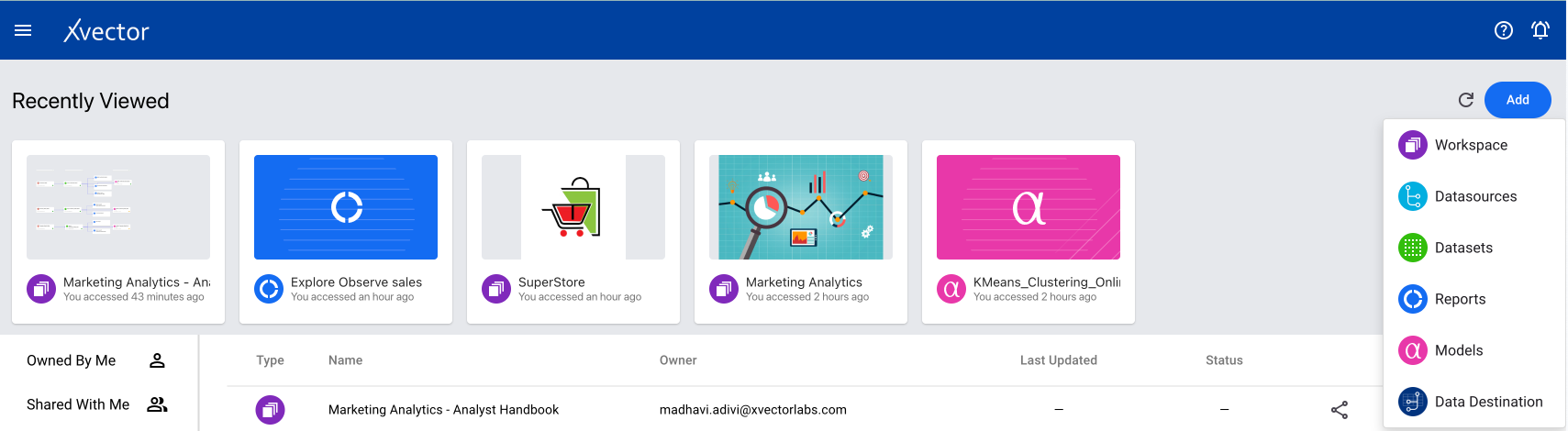
Users can log in to the platform and enter their email and password on the login page. After logging in, the home page displays a list of resources available by default or shared by other users. For a first-time user, this list will be empty. To start, click the Add button at the top right corner of the page to create a workspace.
It is recommended to go through the documents in the Concepts section to understand the different resources and then build an app in the created workspace.
App Store
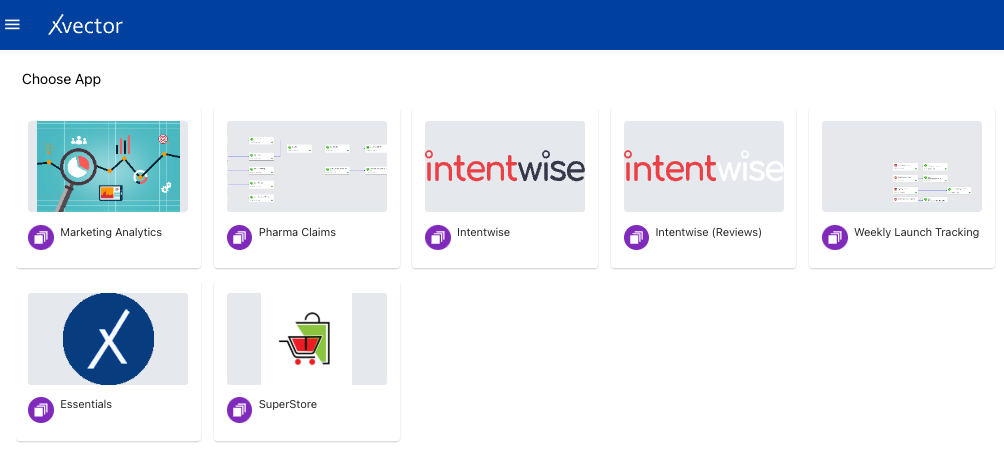
Section titled “App Store”The App Store contains publicly available workspaces. Users can use these already-created apps to accelerate their process. Users can also publish their workspaces as Apps. All available apps can be accessed by clicking on ‘Apps’ present on the home page.